
User Info
EN | Purpose, features, utilization of the UPPS! Extension WorkItem Hider (WH)
Page overview
What is my appropriate role as a reader?
Any role whose tasks include utilizing Polarion, especially creating Work Item content, such as documentation embedded to LiveDocs.
What should I already know?
Before reading this documentation you should be familiar with creating and editing Work Item content in Polarion.
What will I learn?
After reading this documentation, you will be able to:
- Understand the purpose and concept of the WorkItem Hider.
- Use the Work Item Hider to make selected Work Items in a LiveDoc hideable.
PurposeOverview of the WorkItem Hider
Documentation is most effective when it is available directly at the point of use. In Polarion, document templates often include help or comment Work Items that guide users when creating or editing Work Items in derived documents.
However, when a document is created from such a template, these help/comment Work Items appear alongside the actual Work Items. In documents with extensive guidance, this can clutter the structure and reduce readability. Deleting the help/comment Work Items improves the overview, but doing so too early may remove valuable guidance that is still needed later.
The WorkItem Hider solves this problem by allowing help and comment Work Items to be shown or hidden as needed, without deleting them.
Use Cases
Show or hide help and comment Work Items
Instructions for use
Define hidable Work Items
In a Polarion project, you define once:
- which Work Item type is used for help/comment Work Items, and/or
- which Work Item field value identifies a Work Item as help or comment content
Optionally, you can also define a field value that marks certain Work Items as templates. This allows document templates to include pre-structured Work Items (for example, with predefined tables or partial descriptions) for each Work Item type.
NN

NN
Right-cliking the Hide-button opens a menu with the following options:
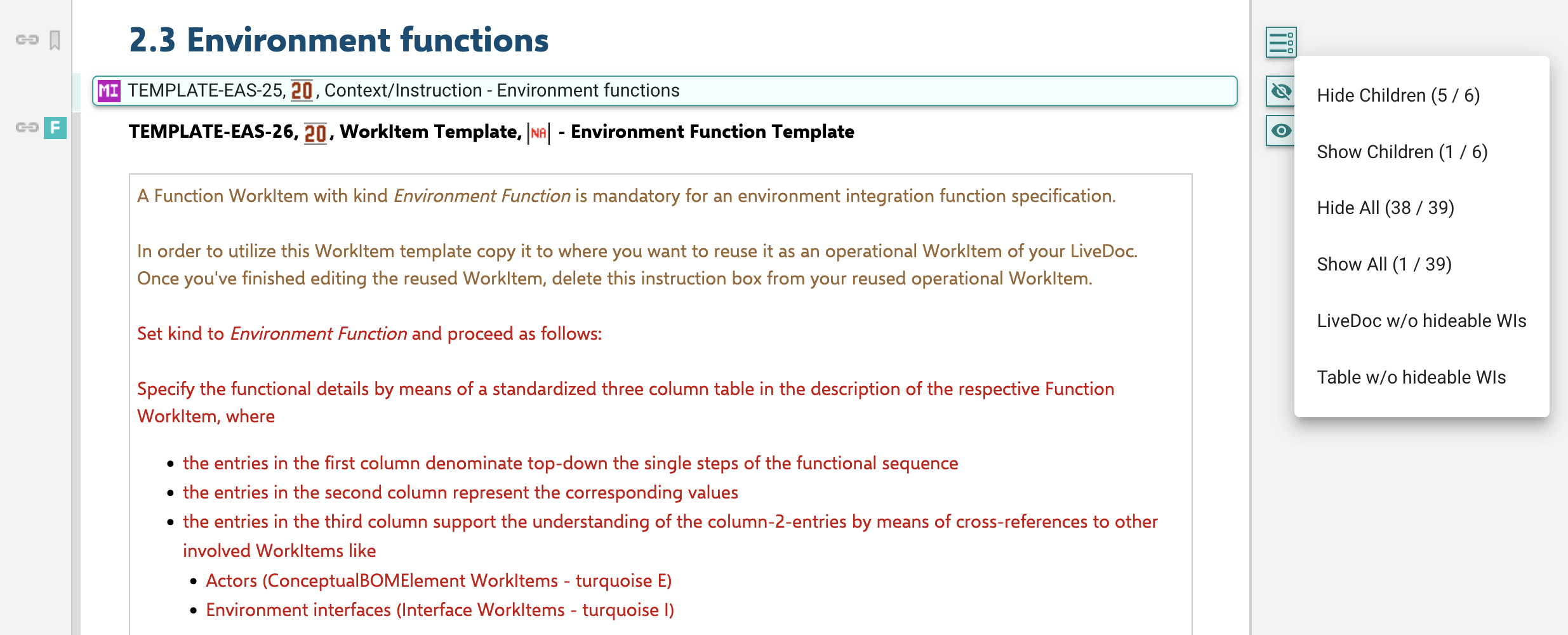
Hide Children:
Show Children:
Hide All:
Show All:
LiveDoc w/o hideable WIs:
Table w/o hideable WIs:
User settings
You can configure the WorkItem Hider to match your personal preferences. To access the user settings:
- Open the UPPS! Extensions Menu in the Polarion Navigation Header.
- Select WorkItem Hider Config.
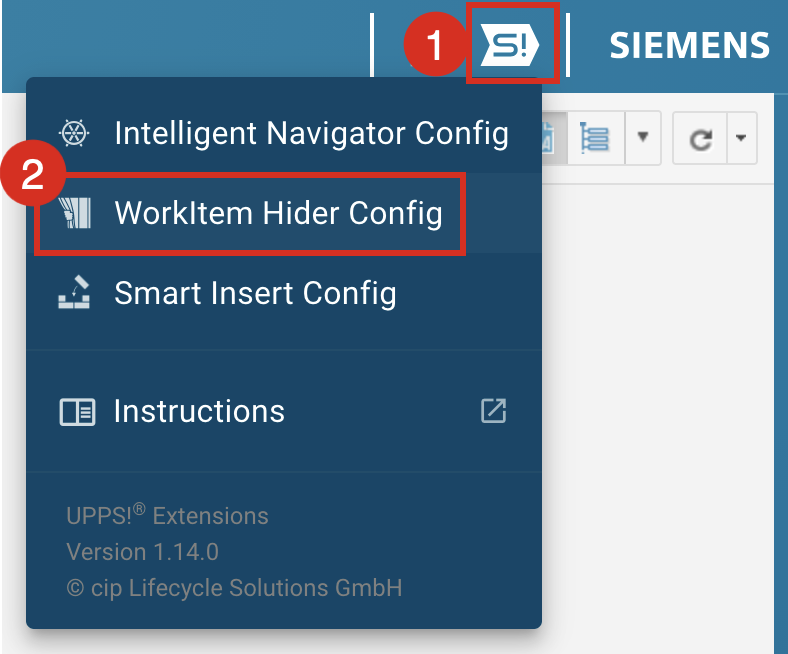
The User Configuration dialog opens, which provides the following user settings:
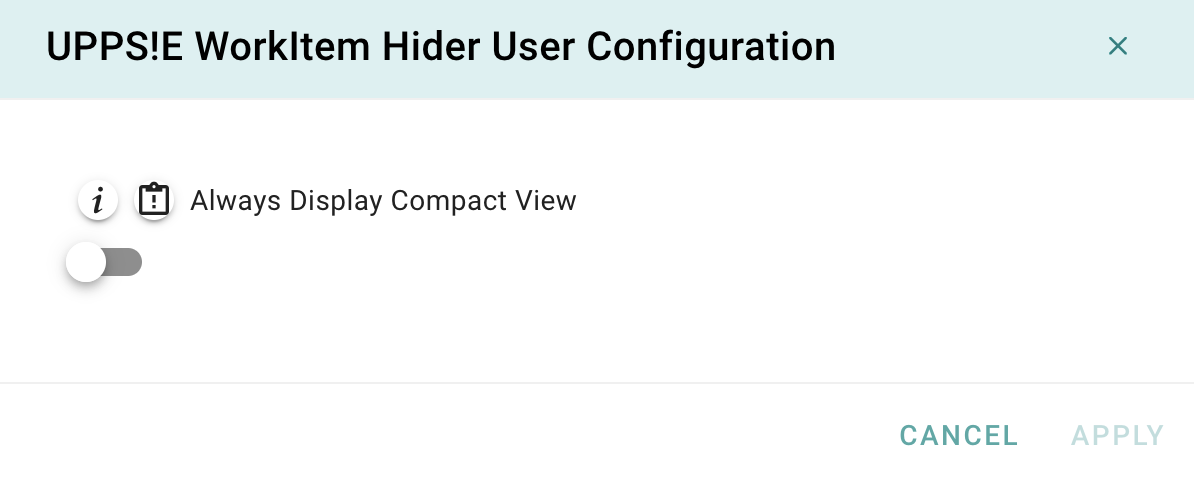 Always Display Compact View:
Settings saved in the User Configuration dialog apply only to the current user and are effective across all projects on the server where the extension is active.